Created by Rook

Edit and generate Rust mapsin full 3D

Map & Prefab Editor for Rust

Creator opens a real Rust .map and renders it with the game's own terrain, water, prefabs and monuments. Edit every layer, or generate a new world with Rust's own worldgen, then save a standard .map for your server.

Download Crucible

Pre-alpha. Windows 10 or 11, 64-bit, with Rust installed through Steam. Install Creator from the Crucible launcher.
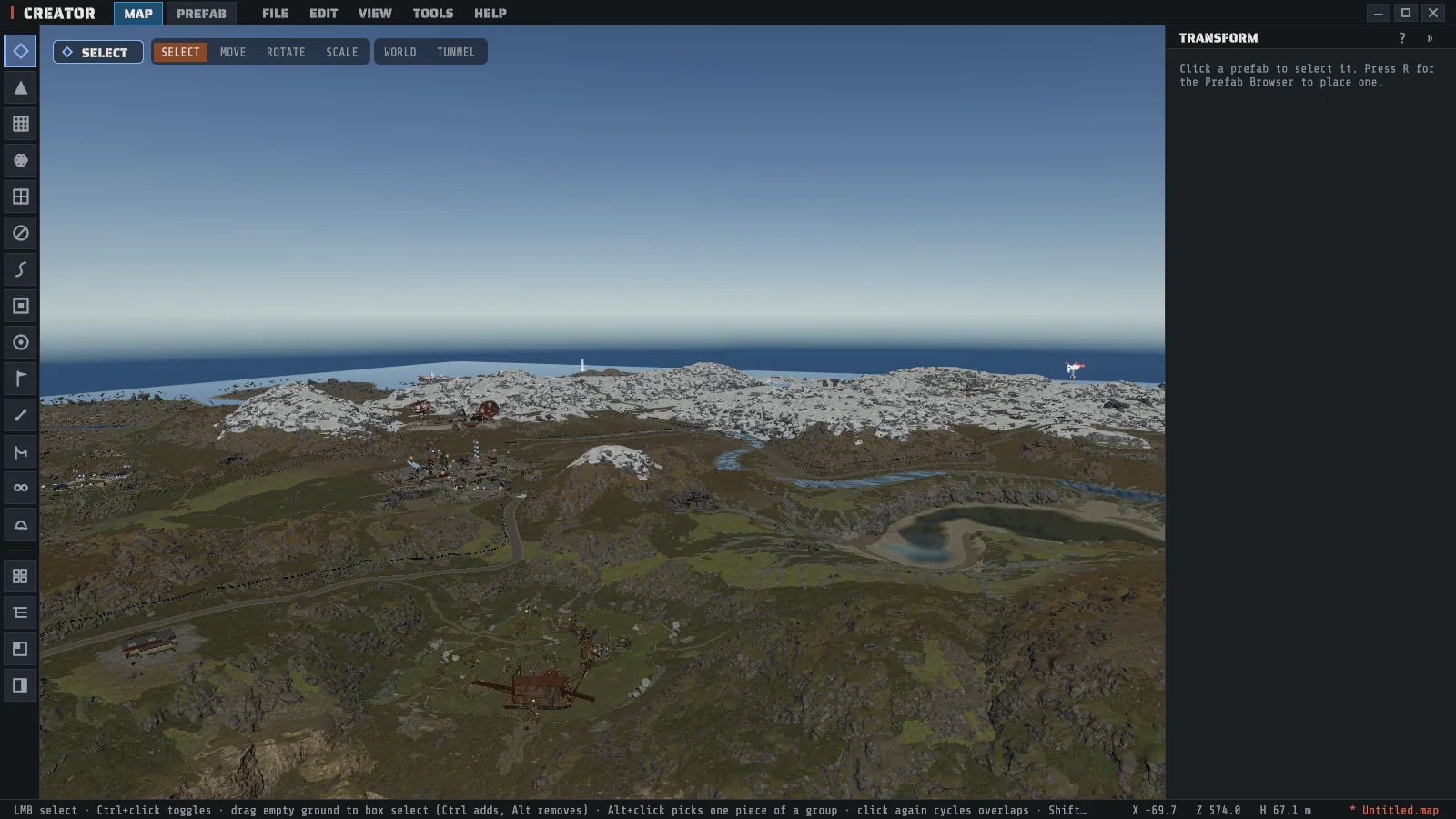
Creator, the Rust map editor, showing a generated map in 3D with snowy mountains, a river, a lake and monuments, the tool rail on the left and the inspector on the right

What Creator does

Open or generate

Start from any map, or a new world.

Open any Rust .map, including maps made in RustEdit. Or pick a size from 1000 to 6000 meters and a seed, and Creator generates terrain, biomes, monuments, roads, rivers, rails and foliage with Rust's own worldgen.

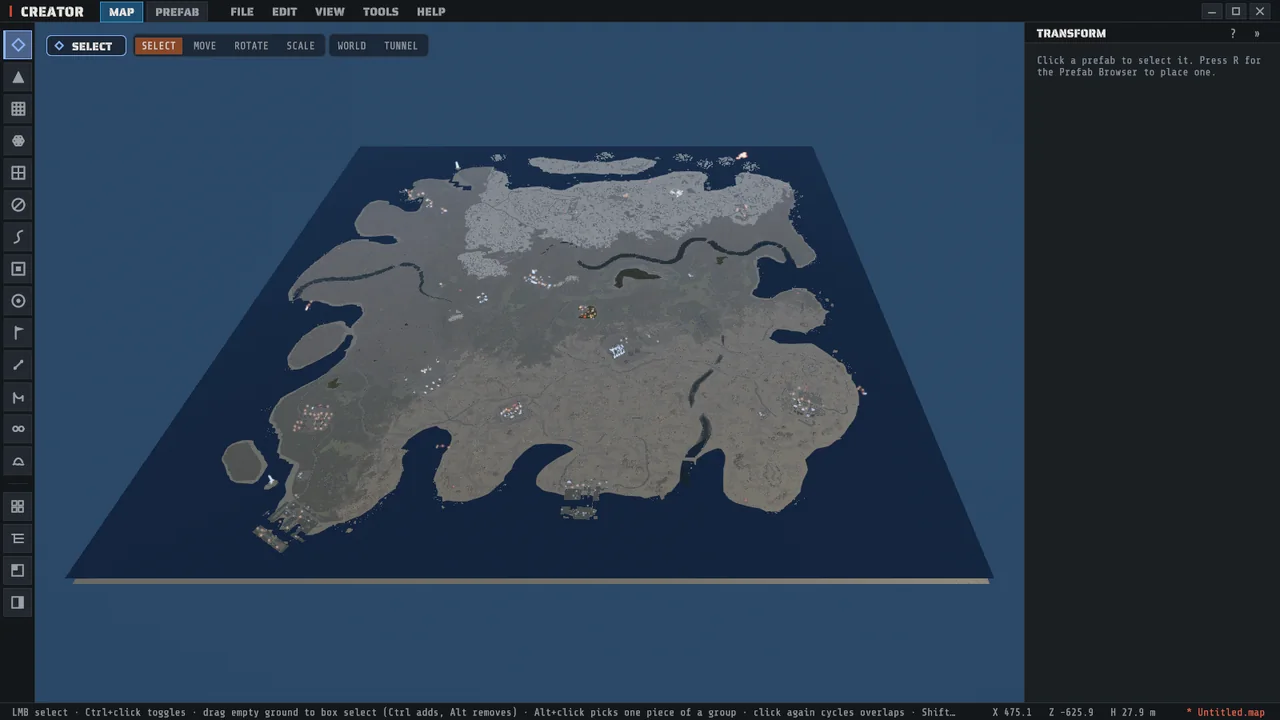
A whole Rust map generated in Creator, seen from above, with its coastline, rivers, snow and monuments
Sculpt & paint

Shape every layer of the map.

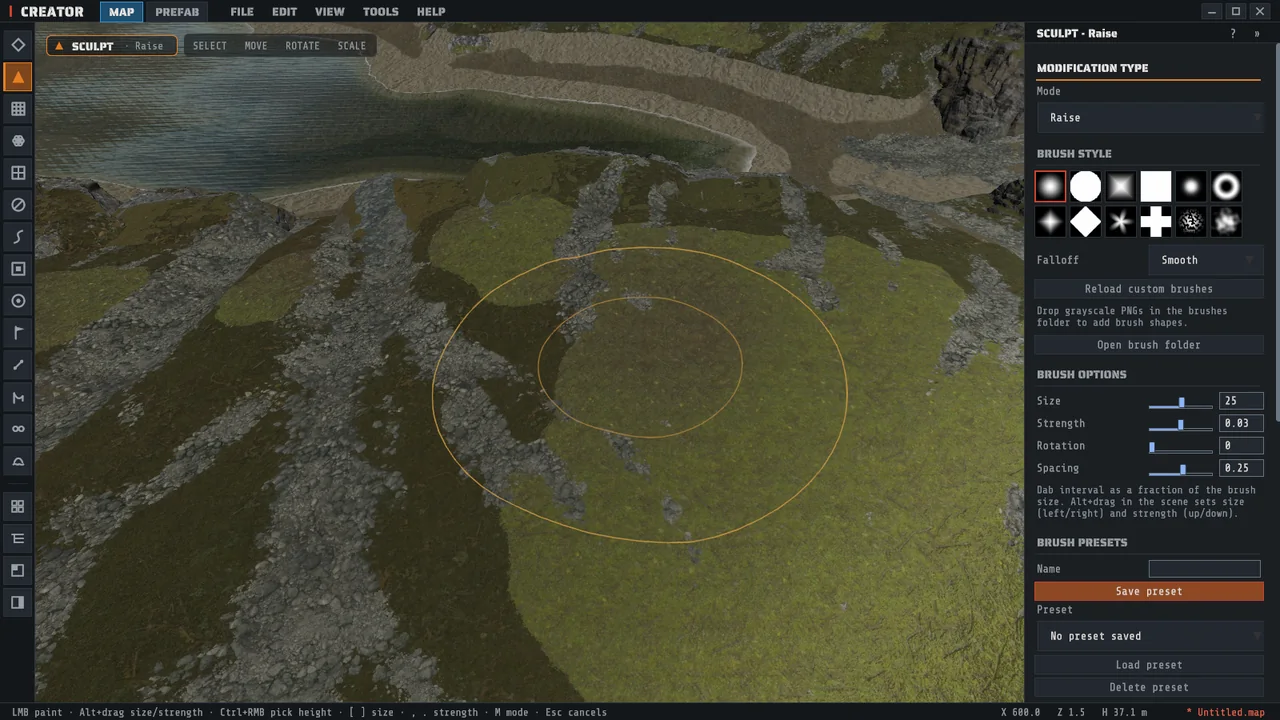
Sixteen sculpt modes, including terrace, hydraulic erosion and a stamp library. Paint ground textures, biomes, topology and alpha holes, and undo any of it one step at a time.

The Sculpt tool in Creator raising terrain beside a beach, with the brush ring on the ground and the brush settings in the inspector
Place prefabs

Use Rust's own prefabs.

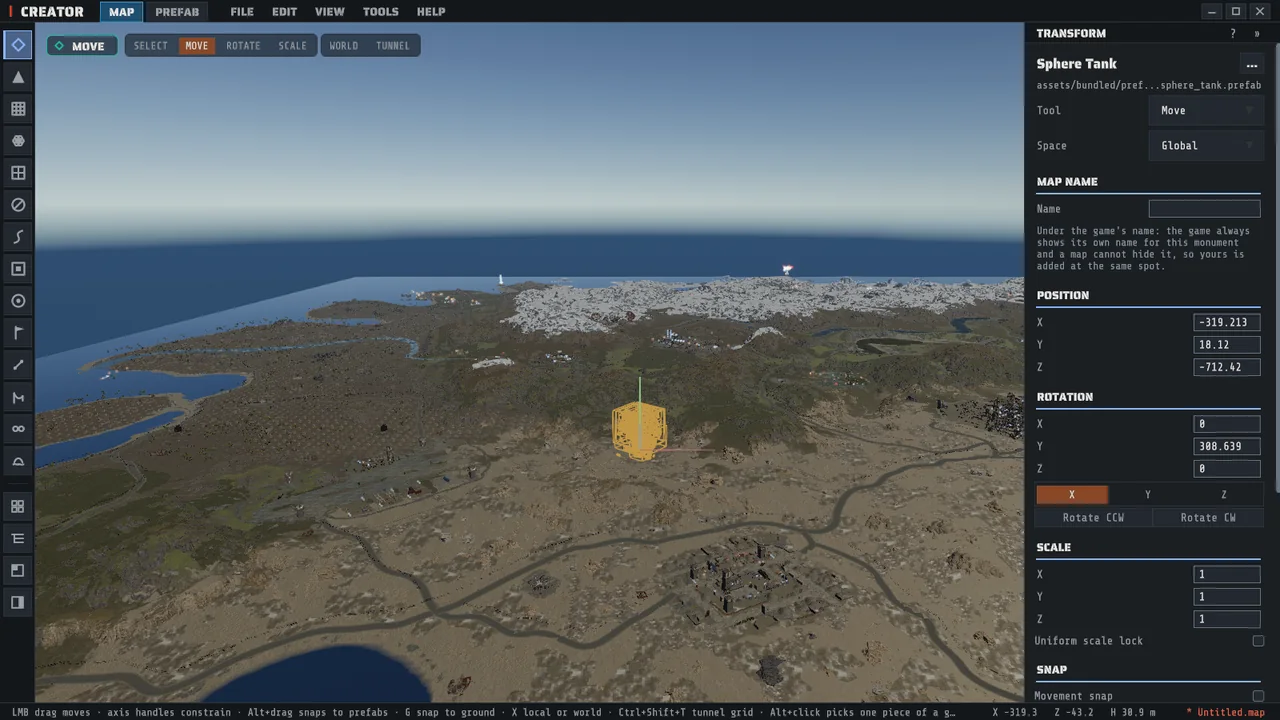
Place, move, rotate and scale the game's prefabs and monuments. Lock, hide and group them, and save a selection as a custom prefab with its terrain and snapping sockets.

A prefab selected in Creator with the move gizmo on it and its position, rotation and scale in the inspector
Creator Mode

Generate on your own heightmap.

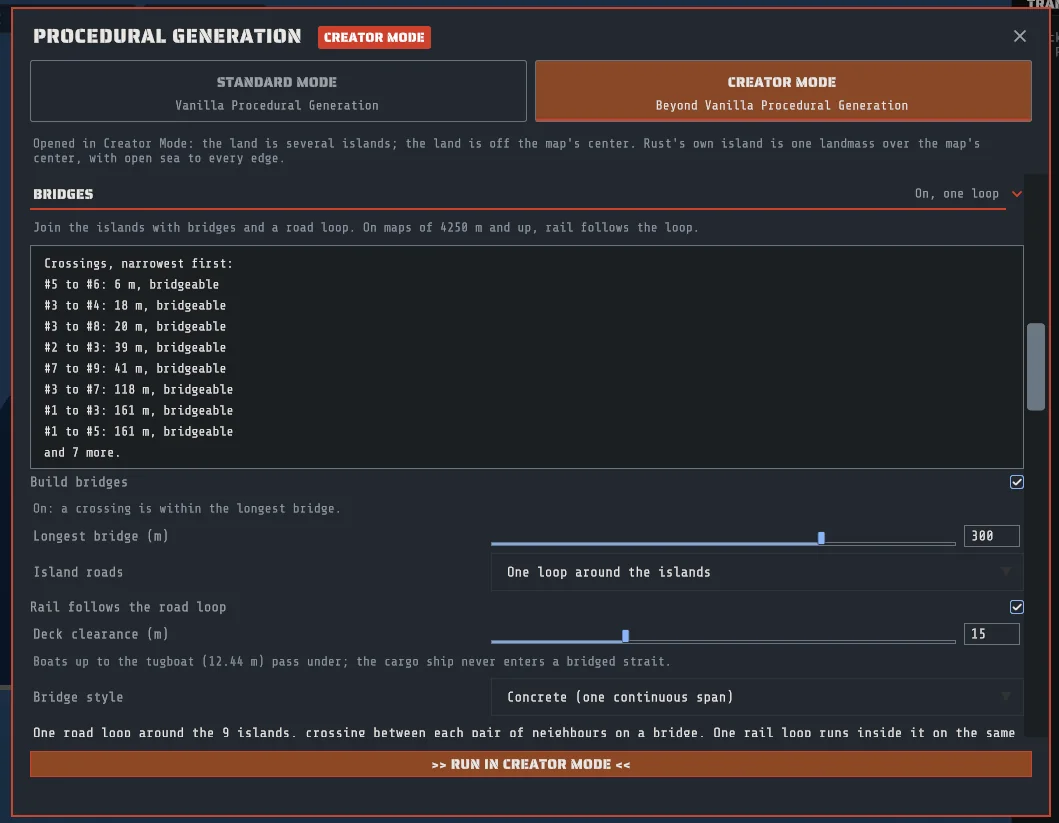
Bring your own land, from Crucible Heightmap or any terrain tool, and Creator Mode runs Rust's own generation over it: biomes, monuments, roads, rivers and rail. Choose which monuments may spawn, pin them to an island, and join a group of islands with bridges and one road around them.

Read the docs
The Creator Mode panel in Creator with the bridges section open, listing the measured crossings between islands and the bridge and road loop settings
Creator

Get Creator

Download the Crucible launcher, sign in, and add Creator from its Apps library. The first launch copies the game's art from your Rust install into a snapshot of about 50 GB.

Creator is in pre-alpha and is not code-signed yet, so Windows SmartScreen asks once on the first run: choose More info, then Run anyway.

Get updates & support on Discord

Build news, bug reports, and direct help with the tools. Drop in, say hi.

FAQ

What is Creator?
A map and prefab editor for Rust, made by Rook. It opens a real .map file, renders it in 3D with the game's own terrain, water, prefabs and monuments, lets you edit all of it, and generates new maps with Rust's own worldgen. What you save is a standard .map you can put on a server.

It sits between Crucible Heightmap, where you shape an island, and Crucible Local Server, where you play it before anyone else does.
Do I need Rust installed?
Yes. Creator reads the game's art from your own Steam copy of Rust and keeps a private snapshot of it, about 50 GB per Rust build you sync. It never modifies your Rust install and never redistributes Facepunch's files.
What PC do I need?
Windows 10 or 11, 64-bit, with Rust installed through Steam and room for the content snapshot. To generate maps at 4000 or larger, 32 GB of RAM is recommended. The full list is in the system requirements.
Can it open maps made in RustEdit?
Yes. Creator opens any standard Rust .map, including maps made in RustEdit. See Import a RustEdit map.
Will my map run on a server?
Yes. Creator saves standard Rust .map files that a stock server reads. Trigger volumes, IO wiring, loot, vending and NPC profiles, and ziplines need the Creator server extension on the server.
Can I sell or share the maps I make?
Yes. The maps you make are yours, including for commercial use.
Does Creator collect any data?
No. Creator sends no telemetry and collects no usage data. Nothing leaves your PC without an action of yours. See Your data.
What does pre-alpha mean?
The editing and the generation are real and are used to build real maps. The release around them is young: expect rough edges in installing, in error messages and in recovery, and expect things to change between builds. Generating a large map is slow, and that is a known open issue.

The build is not code-signed yet, so Windows SmartScreen asks once on the first run: choose More info, then Run anyway.